REALISM LABVerification queuedUPDATED

Madden 27 Realistic Sliders: Versioned Testing Guide

A transparent Madden 27 slider testing framework for User vs CPU, Coach Mode and CPU vs CPU, with no unverified preset presented as final.

THE SHORT ANSWER01

For an All-Pro Franchise starting point, see the selected Madden 27 community values below and open the complete source setup before applying them. We have not independently tested this set; keep All-Madden, Coach Mode and CPU-vs-CPU experiments separate.

COMMUNITY REFERENCE · CHECKED SEP 7, 2026

An All-Pro starting point

ML’s Madden 27 Franchise set, version 1.0 (August 18), uses Simulation, 12-minute quarters and an 18-second minimum play clock. These selected values are attributed to the author; we have not independently tested them.

Selected skill settings from ML’s set — open the source for the complete configuration
SettingPlayerCPU
QB Accuracy2848
Pass Blocking5075
WR Catching5255
Run Blocking2550
Ball Security3535
Interceptions2828
Pass Coverage4652
Tackling5050

Wear and Tear: Off in this set. Fatigue is 75 and injuries are 25. This is the author’s configuration, not evidence that Wear and Tear should always be disabled.

The post does not specify an exact platform or patch. This excerpt is incomplete; use the linked full setup before testing. It does not establish All-Madden, Coach Mode or CPU-vs-CPU settings.

Read ML’s full settings and change log ↗
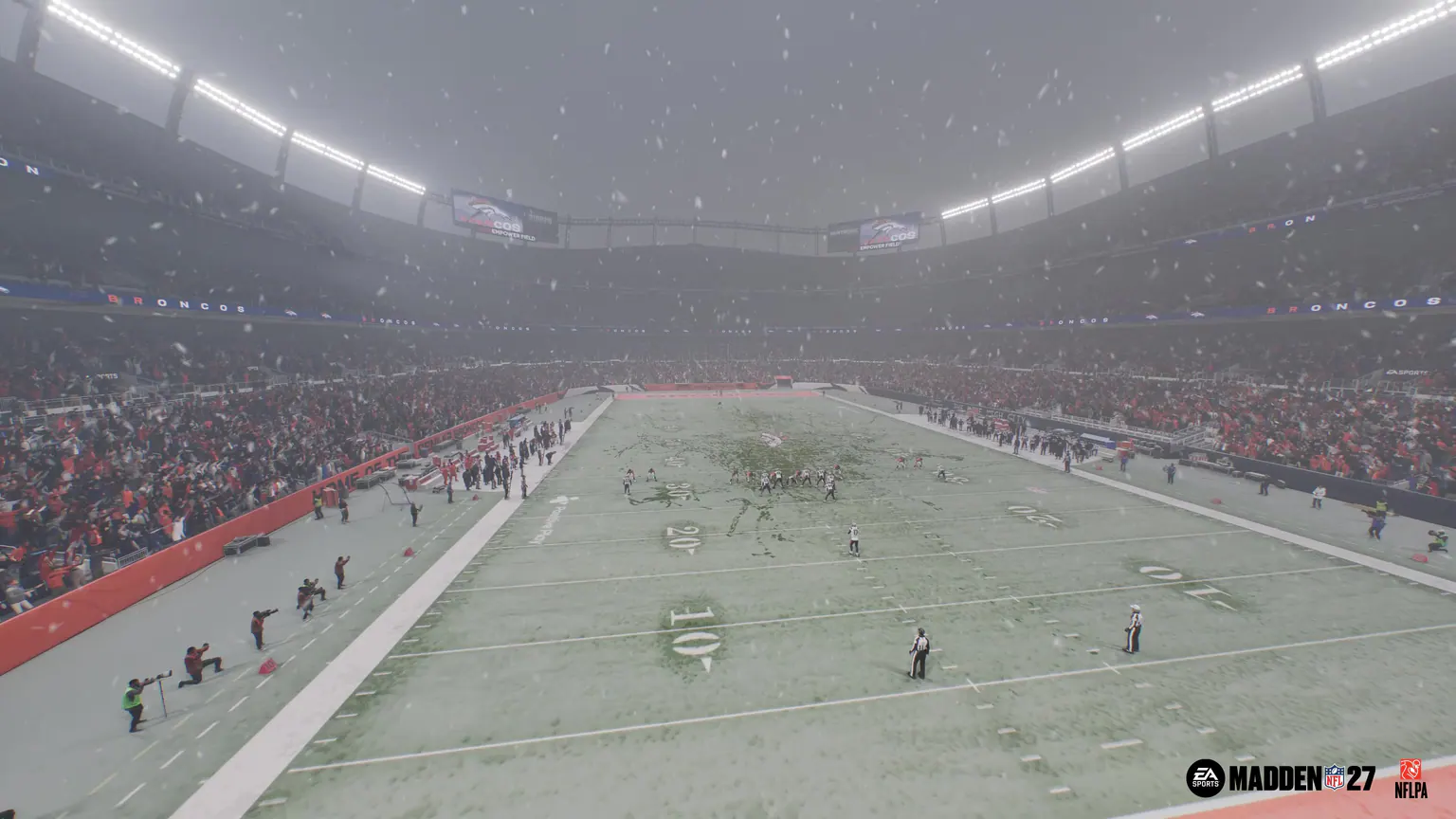
Official Madden NFL 27 Dynamic Weather gameplay scene at the Denver Broncos stadium
View EA's Dynamic Weather feature
01

EA's Gameplay Deep Dive announces changed AI, coverage, ball-carrier, coaching and Coach Mode systems but does not provide official realistic slider values.

02

Coach Mode hands post-snap play to the CPU and includes configurable Auto Quarterback, Auto Snap, Coach Suggestions, Pre-Play Cutoff and Pre-Play Audio options.

03

ML’s Madden 27 Franchise thread supplies an All-Pro community reference, updated August 18, 2026; it is not an independently tested Madden27.wiki preset.

01

Choose a baseline that matches your game

The community table above gives concrete Madden 27 values to start comparing. Open the complete source first: skill sliders are only part of a setup, and omitted settings can change the result.

Save your existing settings before changing them. Record the platform, game version, roster, difficulty and play style so you can restore your baseline or explain why two games differ.

EVIDENCE NOTENo universal best preset is established by one community set. Treat your first games as a comparison, not proof of realism.
02

Separate every play style

User vs CPU, Coach Mode, CPU vs CPU Slow Sim and Fast Sim do not create the same control environment. Results from one mode cannot support a preset for another without separate evidence.

Each test record needs the platform, game version, roster date, difficulty, game style, quarter length, clock rules, passing mode, injuries, fatigue, Wear and Tear, and every modified value.

  • User vs CPU: human execution affects the outcome.
  • Coach Mode: the user plans before the snap and CPU players execute afterward.
  • CPU vs CPU Slow Sim: both sides are observed without direct player control.
  • Fast Sim: season output requires a separate evidence set.
03

Measure the outcome, not only the score

A realistic preset needs game-level evidence rather than one good final score. Track scoring, play volume, passing efficiency, rushing efficiency, sacks, turnovers, penalties, explosive plays, possession, injuries and substitutions.

Start from a saved baseline and change one setting, or one tightly related group, at a time. Preserve raw results and separate measured outcomes from subjective impressions about challenge or feel.

  • Points and total plays
  • Completion rate and yards per attempt
  • Yards per rush and explosive plays
  • Sacks per dropback, turnovers and penalties
  • Injuries, fatigue, Wear and Tear and substitutions
EVIDENCE NOTEMatching a league average does not automatically make a preset enjoyable for every skill level.
04

Read the preset status before copying it

A usable preset names its mode, difficulty, platform, patch, roster date, sample size, known trade-offs, and last update. Every numerical change needs a stated reason and changelog entry.

After a relevant title update, the preset returns to patch review until it is tested again. A community report is comparable only when it includes the same environment and enough game-level detail.

  • Unverified: proposed, copied or not run on the named build.
  • Provisional: early results with a documented environment and limited sample.
  • Tested: repeated games with raw logs and no hidden setting changes.
  • Patch review: a game update requires another validation pass.
EVIDENCE NOTEThese labels are Madden27.wiki editorial policy, not official EA ratings.
/ VERSION WATCH

What to recheck after patches or platform changes

The sourced guide above is complete for its cited scope and date. These are maintenance checks for build-sensitive details, not missing sections.

  1. 01Capture clean default baselines for User vs CPU, Coach Mode and CPU vs CPU on the accessible build.
  2. 02Log game-level metrics without combining modes, platforms or undisclosed setting changes.
  3. 03Publish versioned presets only after their environment, sample and limitations are visible.
/ QUICK ANSWERS

Madden 27 FAQ

Are these Madden 27 sliders final?

No. The table is a selected community reference, not a final or independently tested preset. Use its full source configuration and record your own platform, patch and game results.

Can I copy Madden 26 sliders into Madden 27?

You can use an older set as an experiment, but it is not Madden 27 evidence. EA has changed several AI and gameplay systems, so every value needs fresh testing.

Do Coach Mode and Slow Sim use the same sliders?

That has not been verified. They create different control conditions and need separate presets unless evidence demonstrates otherwise.

Do sliders need another test after a title update?

Yes. An affected preset returns to patch review and regains tested status only after the updated build is checked.

What Wear and Tear setting does this reference use?

ML’s cited configuration turns Wear and Tear off. That is a setting in one community set, not proof that disabling it is best for every player or mode.

/ KEEP READING

Next in the film room